![Logo-cedreo-bkg-white-1.png]](https://help.cedreo.com/hs-fs/hubfs/Logo-cedreo-bkg-white-1.png?height=40&name=Logo-cedreo-bkg-white-1.png)
- Duplicate a project to assign it to the same contact
- Duplicate a project to assign it to another contact
ℹ️ This option is available for professional and entreprise users only.
Duplicate a project to assign it to the same contact
It is possible to create a copy of a project with the intention of presenting it to the same contact (for a second business meeting, for example).

To do this, once in your Cedreo project manager:
1. Go to the "Contacts" menu
2. Click on the contact for which you want to make a project copy
3. Select the project to copy.
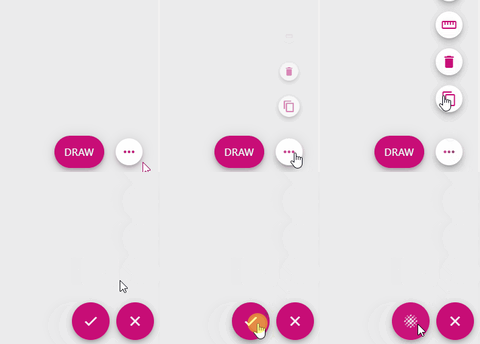
4. On the project sheet, click on the 3 small dots in the bottom right corner.
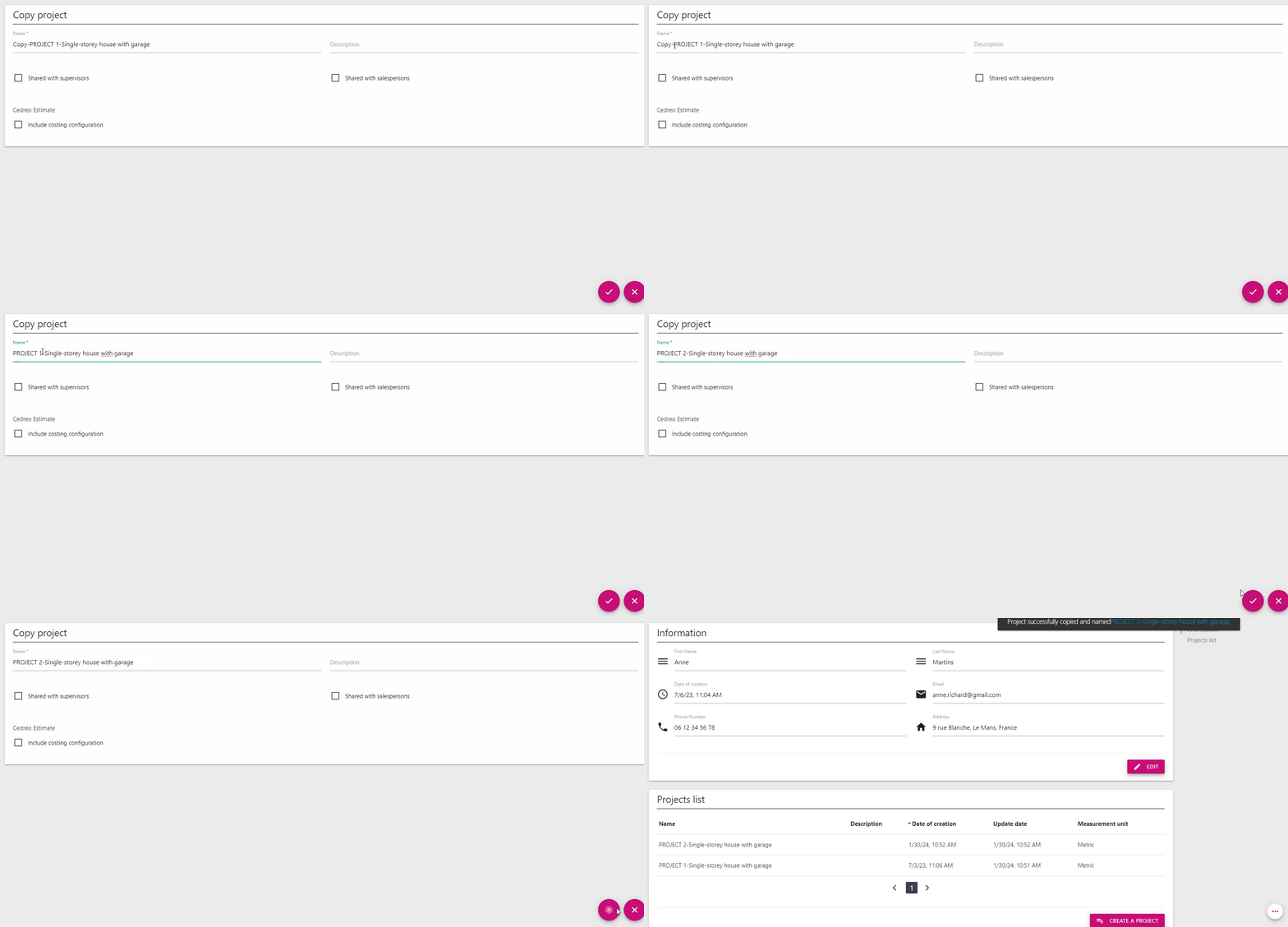
5. Click on the icon to copy the project and press the arrow to confirm.
6. You can modify the name and description of the project copy by clicking on edit.
Duplicate a project to assign it to another contact
ℹ️ For this method, you need to make a copy from "My projects" and not from the contact sheet.
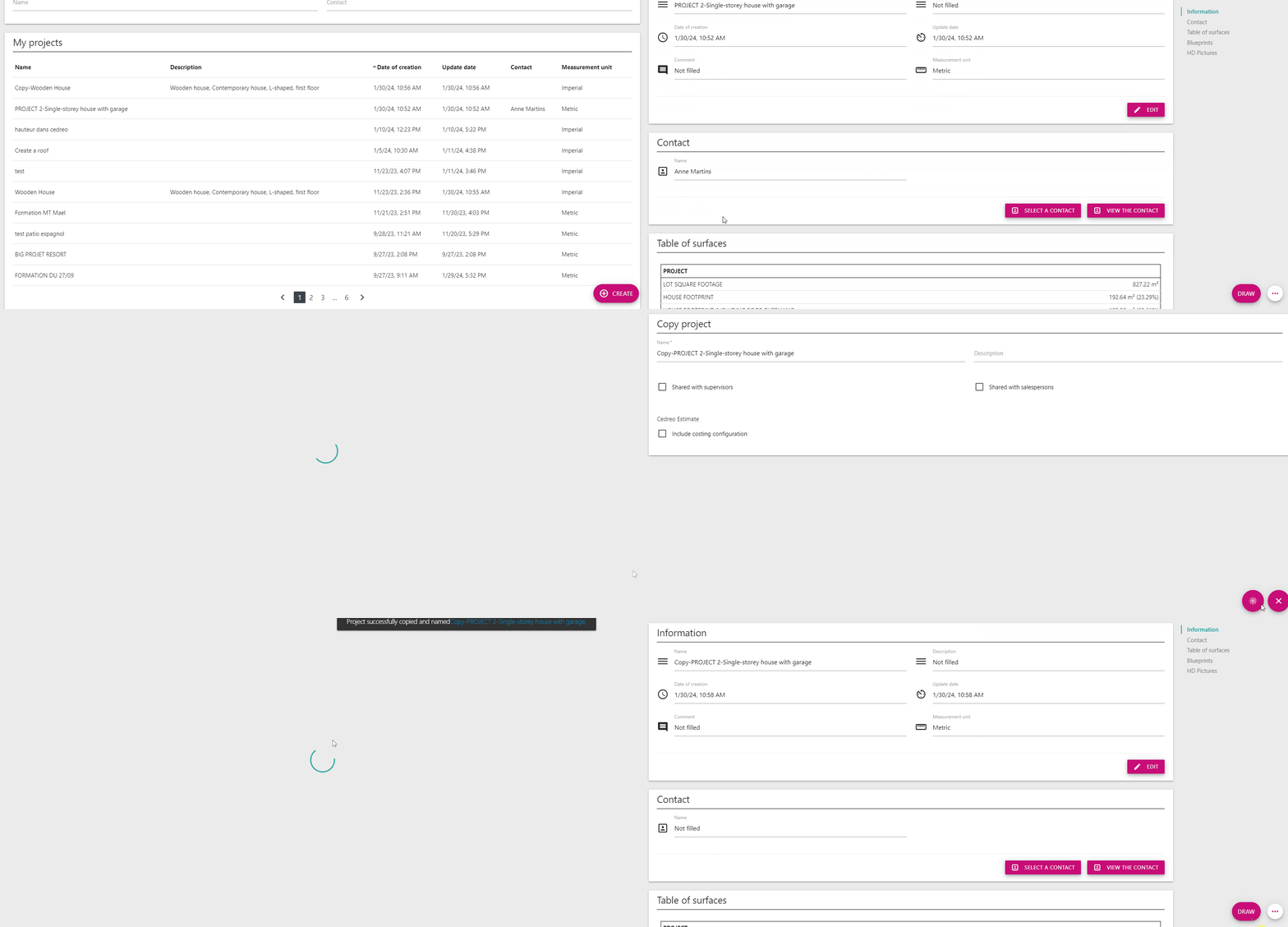
 1. Go to the project sheet from "My projects" and repeat the same process by copying the project.
2. This project will no longer have an assigned contact. It will then be possible to assign it to a new contact.