
⚠️ This feature is available only for the 'Floor Plan' if the land module is not activated. To download a complete document, you can refer to this article.
Customize your downloadable plan
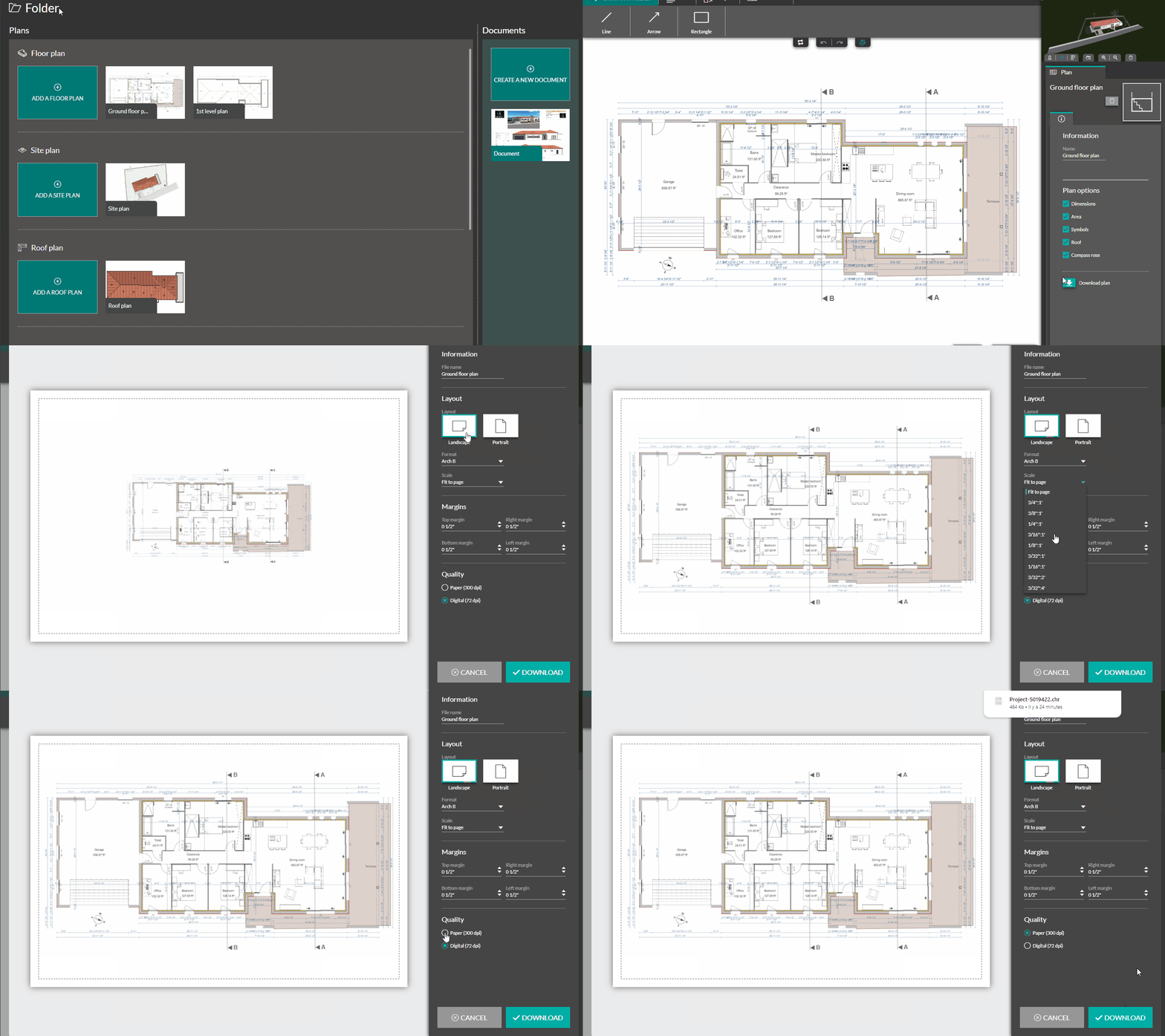
1 . Click on the 'Download' button in the parameters on the right

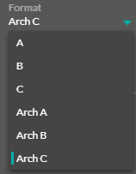
3 . Change the plan format (A,B,C, Arch A, Arch B, Arch C) by clicking on the drop-down menu and selecting the option you want.
4 . Change the plan scale to increase or reduce its size on the page. To do this, click on the drop-down menu and select the scale you want
💡 The plan automatically adjusts to the page margins
5 . Adjust the margins as you want using the up-down arrows or by entering a value in the concerned field.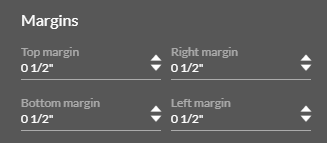
6. Choose the plan quality you want : paper for documents to be printed and digital for those to be sent by e-mail.

7 . Finally, click on the green "Download" button to have your plan directly in your computer files.
Configure your plans and printers to preserve your scale
⚠️ It is not recommended to print directly the picture when you want a defined scale as it is hard to print a picture exactly in real size with many picture viewers.
| 1. Download the picture from Cedreo with 0 cm margins configuration | /11-07%20-%20Margins%200.png?width=270&height=110&name=11-07%20-%20Margins%200.png) |
2. Convert the picture into pdf with https://www.ilovepdf.com/pdf_to_jpg with no margins
/11-07%20-%20jpg%20to%20pdf.gif?width=688&height=442&name=11-07%20-%20jpg%20to%20pdf.gif) 3. Open the pdf in a pdf viewer
3. Open the pdf in a pdf viewer
4. Print it with 100% scale