![Logo-cedreo-bkg-white-1.png]](https://help.cedreo.com/hs-fs/hubfs/Logo-cedreo-bkg-white-1.png?height=40&name=Logo-cedreo-bkg-white-1.png)
Unlike the default measurement system, this option allows you to convert the units of an existing project without creating a new one.
ℹ️ You can change your prefered measurement system from your profile. See how: Change the default measurement system
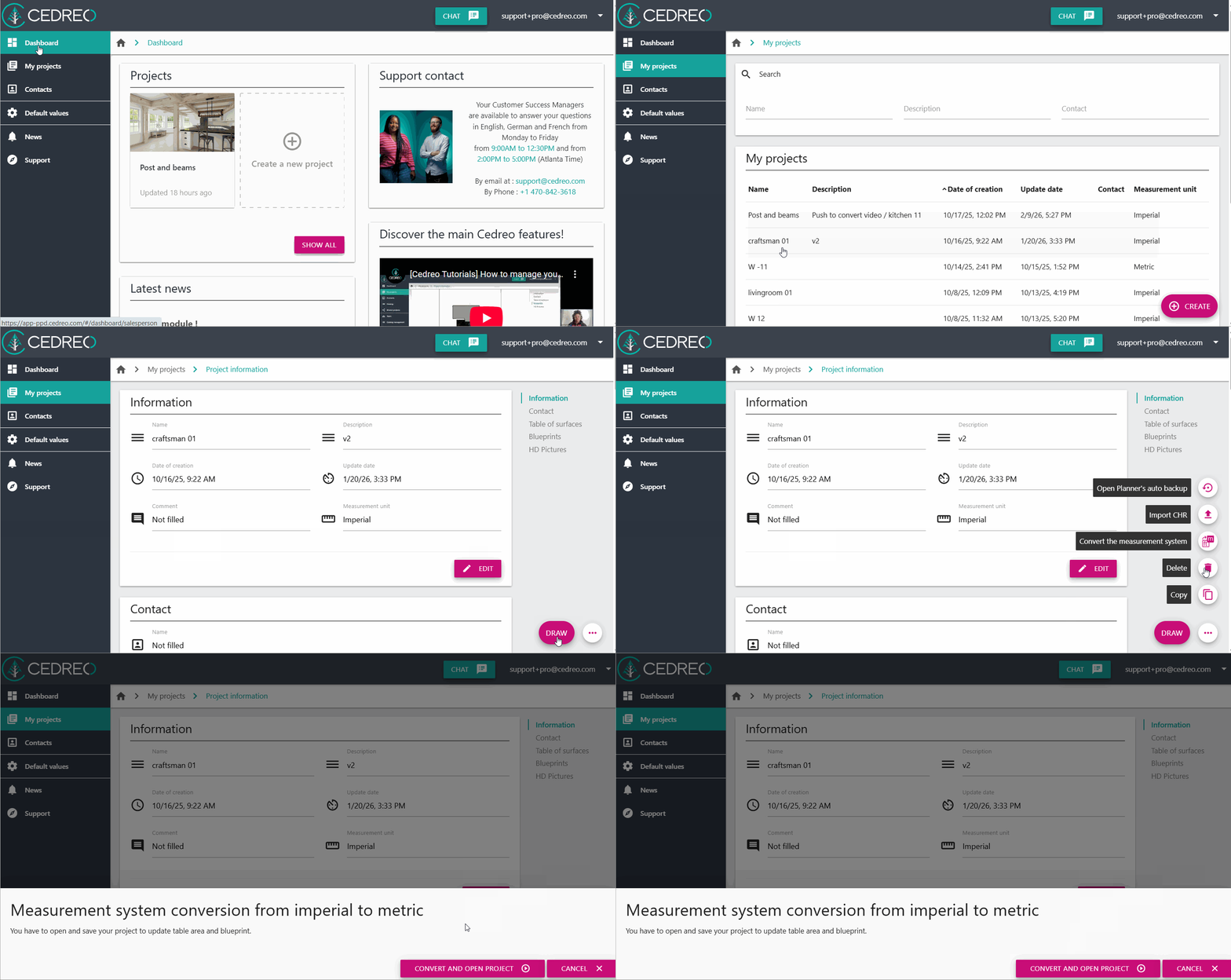
1. From the main Cedreo workspace, select the project you want to convert.
2. Click on the three dots nearby the draw button to display the options.
3. Click on "Convert the measurement system".
4. Validate the process by clicking on "Convert and open project".