![Logo-cedreo-bkg-white-1.png]](https://help.cedreo.com/hs-fs/hubfs/Logo-cedreo-bkg-white-1.png?height=40&name=Logo-cedreo-bkg-white-1.png)
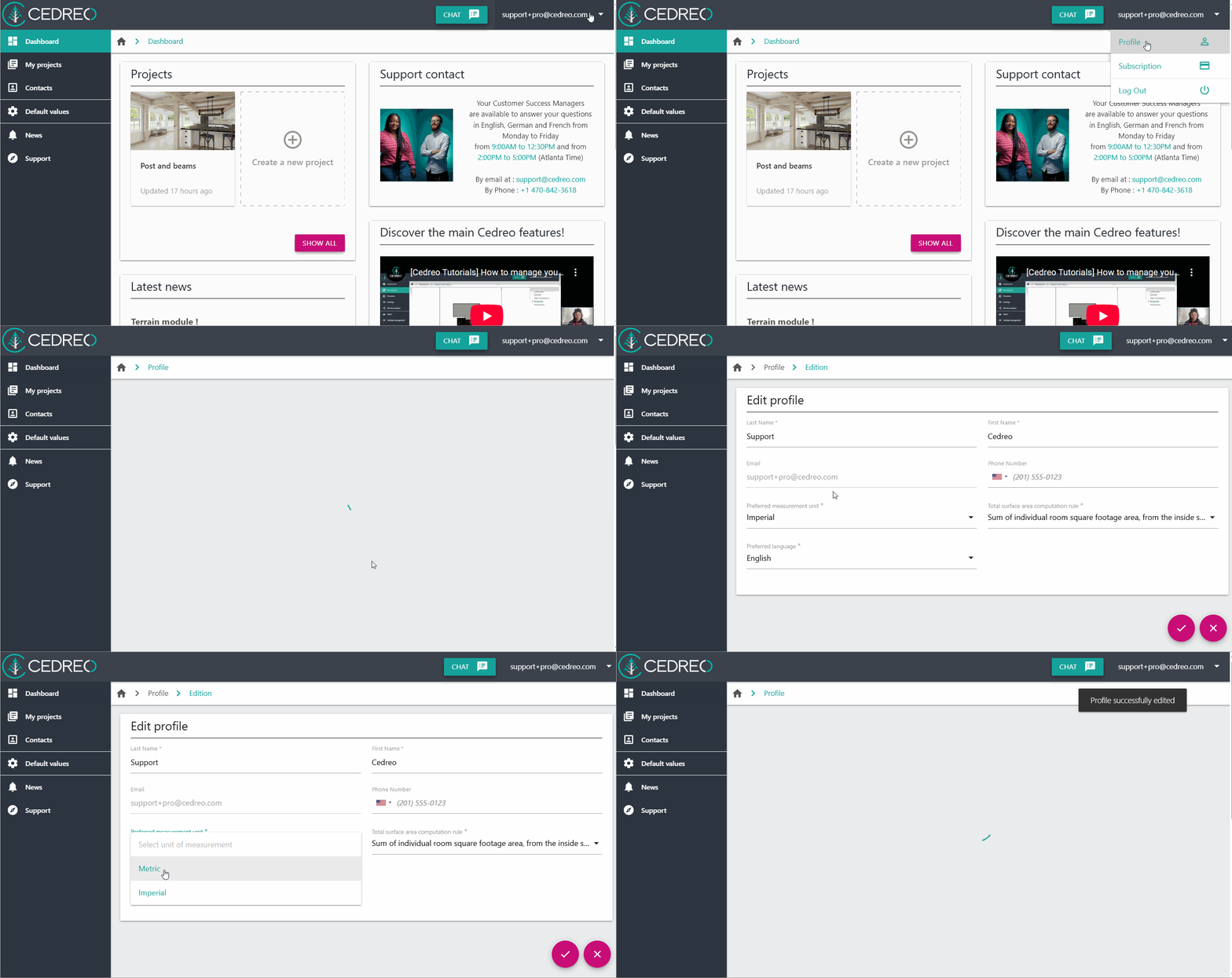
You can switch between metric and imperial units depending on your preferences or project requirements.
1. Click on your email address on the top right corner to display the drop down menu and select "Profile".
2. In the "Personal information" tab, click on "Edit".
3. Select your prefered measurement system between imperial and metric.
⚠️ The default measurement system only applies to new projects. To convert the measurement system of an existing project, check out this tutorial: Convert an existing project to another measurement system