![Logo-cedreo-bkg-white-1.png]](https://help.cedreo.com/hs-fs/hubfs/Logo-cedreo-bkg-white-1.png?height=40&name=Logo-cedreo-bkg-white-1.png)
⚠️ You must be the owner of the account to update the credit card information.
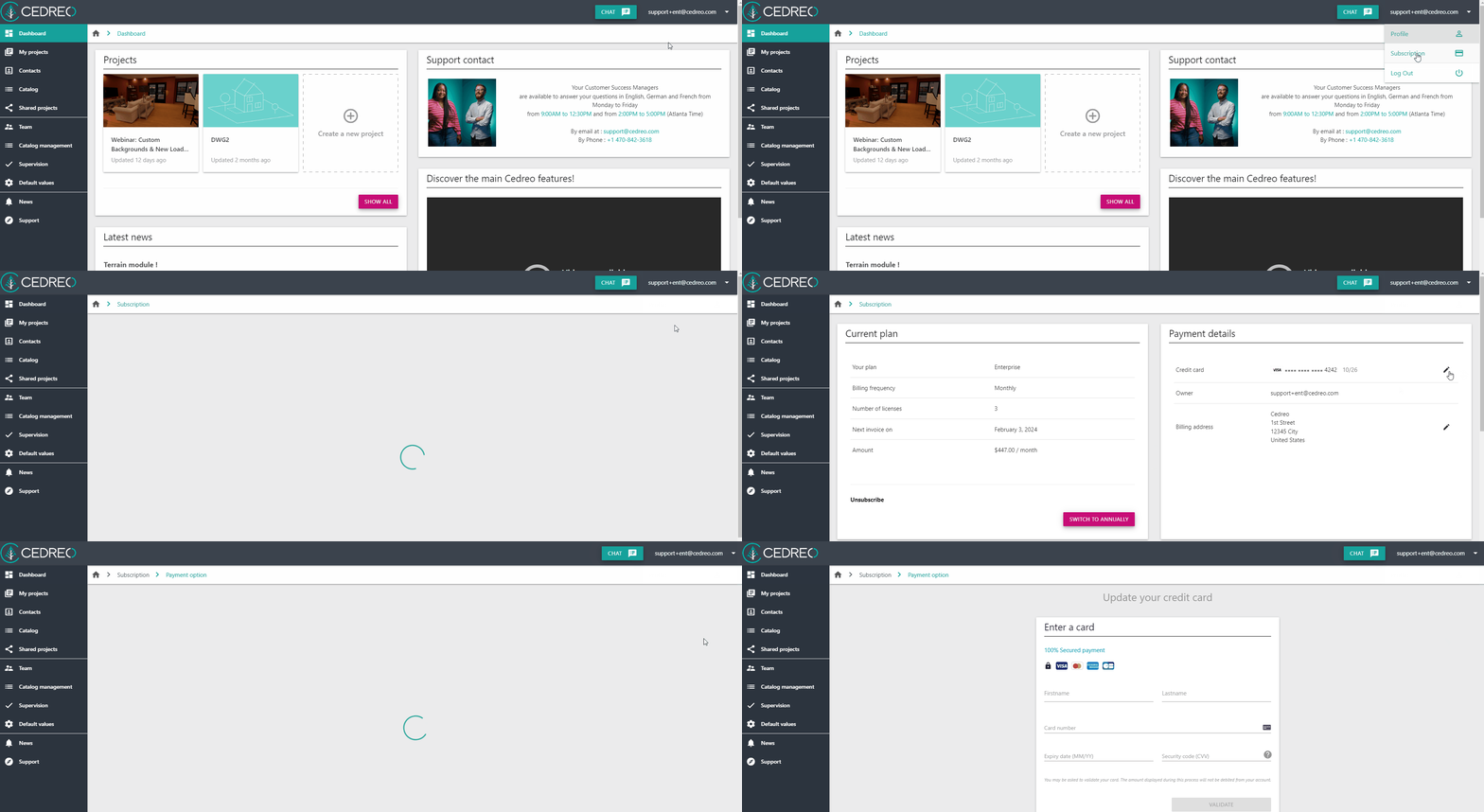
1. Click on the drop down arrow next to your email address on the top richt corner.
2. Select the "subscription" option.
3. Click on the pencil icon at the end of the "Credit card" line in the "Payment details" section
4. Enter the new credit card information and confirm.