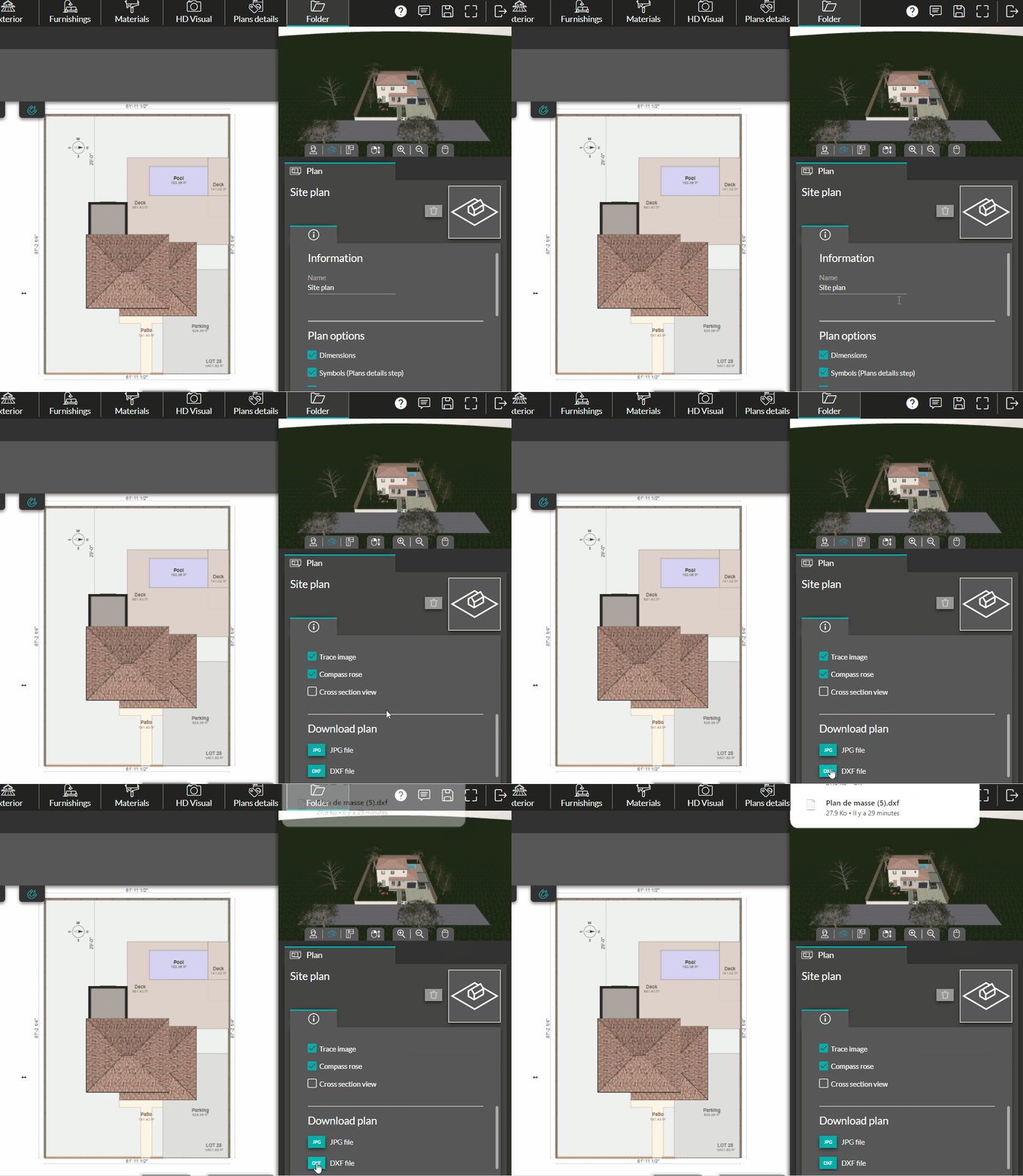
1. Go to the "Folder" step.
2. Select a plan (site plan or floor plan).
3. Click on the "DXF File" icon in the right-hand column. The DXF file will be automatically saved on your computer.

1. Go to the "Folder" step.
2. Select a plan (site plan or floor plan).
3. Click on the "DXF File" icon in the right-hand column. The DXF file will be automatically saved on your computer.